GoHighLevel vs Zapier for Small Business (2026)
GoHighLevel vs Zapier: what each one does, what it costs, and when a small business or agency needs one, the other, or both working together.
· GoHighLevel · Zapier · Automation · CRM
GoHighLevel vs Zapier for Small Business (2026)
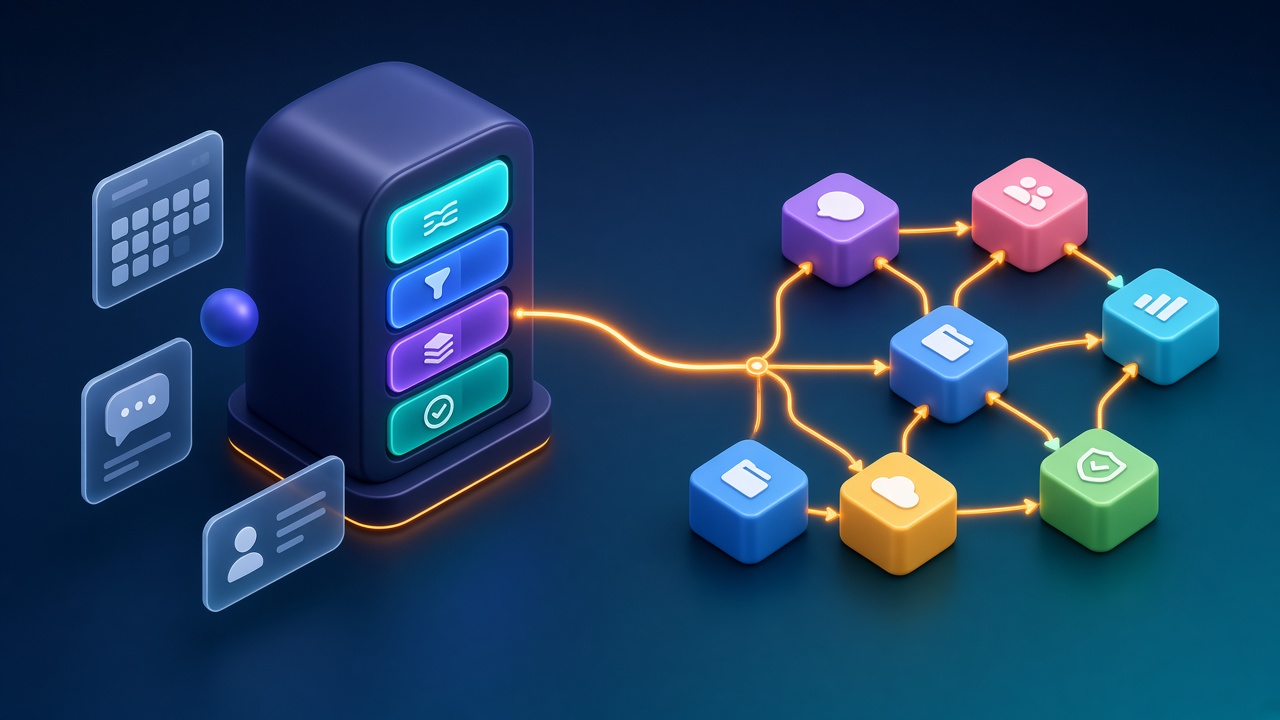
GoHighLevel vs Zapier is a question many small business owners and agencies ask, and it is usually the wrong question. GoHighLevel is a place where your leads, pipeline, calendar, messages and follow-ups live. Zapier is a bridge that moves data between apps that do not talk to each other. One is a house; the other is a set of roads. This guide explains, in plain words, what each tool really does, what it costs as of October 2026, where each one breaks, and how to decide whether you need GoHighLevel, Zapier, or both working together.
TL;DR
- GoHighLevel (HighLevel) is an all-in-one CRM and marketing platform: contacts, pipelines, calendars, funnels, email and SMS, a unified inbox and built-in workflow automation. Plans listed on its pricing page are $97, $297 and $497 per month (or $970, $2,970 and $4,970 per year), with usage-based charges for phone, SMS, email and AI.
- Zapier is a no-code automation platform that connects thousands of apps. It does not store your customers or run your sales pipeline. You pay by plan and by monthly "tasks" (successful action steps).
- If your problem is "my leads are scattered and nobody follows up," start with a CRM like GoHighLevel and use its own workflows.
- If your problem is "my tools don't talk to each other," Zapier is often the fastest fix.
- Most growing businesses end up with both: GoHighLevel as the system of record, and Zapier (or webhooks) for the few apps GoHighLevel does not cover natively.
- Before you buy either, write down the one process that loses you the most money today. Tools are cheaper than the wrong process.
Key definitions
Before we compare, here are the words this article uses, in plain language.
CRM (customer relationship management): the single place where every lead and customer lives, with their history, stage and next step.
Pipeline: the stages a lead moves through, such as "New lead," "Contacted," "Booked," "Won" and "Lost."
Workflow (in GoHighLevel): a set of automatic steps that runs inside GoHighLevel when something happens, for example "when a form is submitted, send a confirmation and create a task."
Zap (in Zapier): an automation with one trigger (the thing that starts it) and one or more actions (the things it does in other apps).
Task (in Zapier): one successful action step in a Zap. Zapier counts tasks against your monthly allowance. Triggers and many built-in helper steps, such as filters and formatters, do not count, according to Zapier's pricing page.
Webhook: a simple message one system sends to another the moment something happens. It is the "doorbell" most automations rely on behind the scenes.
Sub-account: in GoHighLevel, a separate workspace for one business or one client. Agencies usually run one sub-account per client.
System of record: the one tool everyone agrees holds the truth. If two tools disagree about a customer, the system of record wins.
What is GoHighLevel, in plain words?
GoHighLevel is an all-in-one sales and marketing platform for small businesses and agencies. It combines a CRM, pipelines, booking calendars, funnels and websites, email and SMS marketing, a unified conversations inbox, reputation tools and workflow automation, so a small team can capture, follow up and close leads in one place.
The important idea is "one place." Instead of a form tool, an email tool, a calendar tool, a spreadsheet of leads and a separate texting app, GoHighLevel tries to hold all of it. HighLevel's own pricing page lists core features including CRM and pipelines, workflow automation, booking calendars, forms and surveys, email and SMS marketing, a unified conversations inbox, payments and invoicing, a mobile app and API access.
For an agency, there is a second idea: sub-accounts. You can run many client businesses from one agency account, and on higher plans you can white-label the platform so clients see your brand.
Who GoHighLevel is built for
GoHighLevel fits best when:
- You sell a service that depends on booking, follow-up and reminders (consultants, coaches, home services, local service businesses, agencies).
- Your leads come from several places (ads, website forms, calls, social messages) and you need them in one list.
- Your team needs to see "who do I call next" without opening five tools.
- You are an agency that wants to offer clients a CRM and automation under your own brand.
Where GoHighLevel is not a fit
It is a big platform. If you only need to copy new rows from a form into a spreadsheet, GoHighLevel is a sledgehammer for a thumbtack. It also has a learning curve; the flexibility that makes it powerful also makes it easy to build messy automations.
What is Zapier, in plain words?
Zapier is a no-code automation platform that connects apps. When something happens in one app (the trigger), Zapier performs actions in other apps. It does not replace your CRM or store your customer relationships; it moves data between the tools you already use. Its pricing page says it connects more than 9,000 apps.
Think of Zapier as the glue. A new invoice is paid in your billing tool, so Zapier adds a row to your accounting sheet, posts a message to your team chat and tags the customer in your email tool. None of those apps had to be built to work together. Zapier did the translation.
Who Zapier is built for
Zapier fits best when:
- You already have tools you like, and the pain is copying data between them by hand.
- You need a quick integration this week, not a new platform this quarter.
- You want to connect a niche app that your CRM does not support natively.
- Your volume is moderate, so task-based pricing stays predictable.
Where Zapier is not a fit
Zapier is not a CRM. It has Tables (a simple database) and Forms, but it is not designed to be where your sales team lives every day. It can also get expensive at high volume, because every successful action step uses tasks. And automations spread across many Zaps can become hard to debug if nobody documents them.
GoHighLevel vs Zapier: what is the core difference?
The core difference is that GoHighLevel is a destination and Zapier is a connector. GoHighLevel holds your contacts, pipeline, calendar and messages and automates work inside that system. Zapier holds almost nothing; it watches for events in one app and acts in others. Many businesses use GoHighLevel as the home base and Zapier to reach apps around it.
Here is a side-by-side view.
| Question | GoHighLevel | Zapier |
|---|---|---|
| What is it? | All-in-one CRM and marketing platform | No-code app-to-app automation platform |
| Does it store leads and customers? | Yes, it is a CRM | Not as a CRM (Tables is a simple database) |
| Built-in automation? | Yes, workflows inside the platform | Yes, Zaps across apps |
| Main pricing model | Flat monthly or yearly plan, plus usage for phone, SMS, email and AI | Plan plus monthly task tier; pay-per-task overage optional |
| Best at | Capturing, following up and closing leads in one place | Connecting tools that don't talk to each other |
| Typical owner | Sales or marketing team, agency | Operations person, founder, agency builder |
| Risk if misused | One big messy account with overlapping workflows | Dozens of undocumented Zaps and a surprise task bill |
How much does GoHighLevel cost in 2026?
As listed on HighLevel's pricing page in October 2026, there are three self-serve plans: Starter at $97 per month ($970 per year) with 3 sub-accounts, Unlimited at $297 per month ($2,970 per year) with unlimited sub-accounts, and Pro at $497 per month ($4,970 per year) with SaaS mode. Phone, SMS, email and AI usage is billed separately.
Some details from that page are worth knowing before you budget:
- All plans list unlimited contacts and unlimited users.
- Starter is described as "perfect for smaller businesses and solo marketers," with 3 sub-accounts.
- Unlimited adds unlimited sub-accounts, rebilling of phone and email at cost, and basic API access.
- Pro (Agency Pro) adds SaaS mode, automated sub-account creation, rebilling with markup and advanced API access.
- Usage-based charges apply for telecom (phone numbers, SMS, calls, email sending) and premium AI features. HighLevel's own FAQ calls these out under "Are there any hidden fees?"
- Optional add-ons are priced separately, such as HIPAA compliance, a white-label mobile app and dedicated email IPs.
- A 14-day free trial is listed for each plan.
For a single small business, Starter is usually enough to start. For an agency planning to serve many clients, the Unlimited plan is the usual jump, because sub-accounts are what you scale.
How much does Zapier cost in 2026?
As listed on Zapier's pricing page in October 2026, Zapier has a Free plan with 100 tasks per month and two-step Zaps, Professional starting at $19.99 per month billed annually ($29.99 monthly) for 750 tasks, Team starting at $69 per month billed annually for 2,000 tasks and 25 users, and custom Enterprise pricing.
The details that change your bill:
- Tasks are the meter. Each successful action step uses tasks. Triggers, polling and built-in tools like Filter, Formatter, Paths and Delay do not count, according to Zapier.
- Multi-step Zaps need a paid plan. The Free plan is limited to two-step Zaps (one trigger, one action).
- Polling time matters. Zapier lists 15-minute polling on Free, 2 minutes on Professional and 1 minute on Team. If your trigger is not instant, that is how long a new event may wait.
- Going over your limit either pauses your Zaps or, with pay-per-task turned on, bills extra tasks at a multiple of your base rate. Zapier lists 2.5x on monthly plans and 1.25x on annual plans.
- Annual billing is listed at 33% off the monthly price.
The practical rule: count how many action steps you expect per month before you pick a tier. A five-step Zap that runs 300 times a month uses about 1,500 tasks if all five steps are normal actions.
Can GoHighLevel replace Zapier?
Often, yes, for automations that live inside GoHighLevel. Its workflows can handle lead capture, follow-up messages, reminders, pipeline moves, tasks and internal notifications without Zapier. You still need a connector (Zapier, webhooks or the API) when an outside app GoHighLevel doesn't integrate with must send or receive data.
A good test: draw your process on paper. If every box on the paper is something GoHighLevel already does (form, calendar, pipeline, message, task), you probably don't need Zapier for that process. If one box is "update our accounting tool," "add to our project board" or "notify our warehouse system," and GoHighLevel has no native integration for it, that box is where a connector belongs.
Can Zapier replace GoHighLevel?
No, not as a CRM. Zapier can move leads between apps and even store simple records in Zapier Tables, but it does not give your team a pipeline view, booking calendar, unified inbox, or the daily "who do I follow up with" screen a CRM provides. If you need those, you need a CRM, whether GoHighLevel, HubSpot or another one.
This is a common mistake: a business stitches together a form tool, a spreadsheet, an email tool and a calendar with ten Zaps and calls it a CRM. It works until the person who built it is on holiday. Then nobody knows why a lead got two emails and the other lead got none.
How do GoHighLevel and Zapier work together?
They connect through the official LeadConnector app on Zapier (LeadConnector is HighLevel's white-labeled name) or through webhooks. Zapier's help center lists one native trigger (Pipeline Stage Changed) and actions such as Add/Update Contact, Add/Update Opportunity, Add Lead to Workflow, Add Task and Stop All Workflows for Lead.
That short list matters. It means:
- Getting data into GoHighLevel is easy. You can create or update contacts and opportunities, add tasks, and drop a lead into an existing GoHighLevel workflow from almost any app Zapier supports.
- Getting events out of GoHighLevel natively is narrow. The built-in Zapier trigger is pipeline stage changes. For other events (a form submitted, an appointment booked, a tag added), the usual pattern is a webhook action inside a GoHighLevel workflow that sends data to a Zapier "Catch Hook" trigger. HighLevel documents webhook actions in its help center.
- Rate limits exist. Zapier's help article lists LeadConnector API limits of 100 requests per 10 seconds and 200,000 requests per day.
- You connect per sub-account. HighLevel's help article explains that when you sign in through Zapier, you pick which sub-account to connect. Agencies need one connection per client sub-account, which keeps data separated.
A simple pattern that works
Here is a pattern I like for small teams, described step by step:
- A lead fills in a form, books a call, or comes from an ad. It lands in GoHighLevel.
- A GoHighLevel workflow sends the instant confirmation, assigns the lead to a person, and creates a follow-up task.
- When the deal moves to "Won," the Pipeline Stage Changed trigger fires in Zapier.
- Zapier creates the client in your invoicing or project tool and posts a short note in your team chat.
- If any step fails, Zapier's error notifications tell a named person, not a shared inbox nobody reads.
GoHighLevel does the customer-facing work. Zapier does the back-office handoff. Each tool does what it is good at.
When should a small business choose GoHighLevel?
Choose GoHighLevel when your main pain is lost or slow follow-up: leads scattered across forms, ads and messages; no shared pipeline; reminders done by memory. It fits service businesses that book appointments or calls and want capture, follow-up, booking and reporting in one platform, with automation built in.
Signs you are ready:
- You cannot answer "how many leads did we get last week and what happened to each one" in under five minutes.
- Two people on your team have contacted the same lead, or nobody has.
- Your booking link, your email tool and your lead list are three separate logins.
- You have tried to fix this with spreadsheets and it keeps breaking.
Speed of follow-up is often where the money is. I wrote about that in my guide on why lead response time matters for small businesses.
When should a small business choose Zapier?
Choose Zapier when you already have tools you like and the pain is manual copy-paste between them. It's the fastest way to connect two or three apps without code, especially for back-office tasks like invoices, sheets, project boards and notifications, as long as your monthly volume keeps task costs reasonable.
Signs you are ready:
- Someone on your team spends time every day copying data from one app to another.
- You have a CRM you are happy with, but it does not connect to one important tool.
- You need something working this week.
- The process is simple and linear: when X happens, do Y and Z.
When should you use both?
Use both when GoHighLevel is your CRM and system of record, but some important apps sit outside it. Let GoHighLevel handle leads, pipeline, booking and follow-up with its own workflows, and use Zapier or webhooks only for the edges: accounting, project tools, internal databases, or niche apps with no native integration.
The key word is "edges." The center of the system should be one tool. When automation logic is split evenly between two platforms, nobody knows where to look when something breaks.
GoHighLevel vs Zapier vs n8n: where does n8n fit?
n8n is a workflow automation tool, like Zapier, that can be self-hosted or used in the cloud. It suits teams that need complex logic, high volume or more control over where data runs. It is a connector, not a CRM, so it competes with Zapier, not with GoHighLevel.
In practice:
- Zapier is usually the quickest to set up and the friendliest for non-technical teams.
- n8n is usually chosen when volume is high, workflows have a lot of branching, or the business wants to host its own automations.
- GoHighLevel stays the CRM in either case.
If reliability is your worry, I have a demo of how I approach error handling and retries in n8n on my site: n8n reliability demo. It is a demo, not a client case.
How do you decide? A 7-step decision checklist
Use this checklist before you pay for anything. It takes about an hour and saves months of rework.
- Name the money leak. Write one sentence: "We lose money because ___." Examples: "leads wait too long for a reply," "no-shows aren't reminded," "won deals take days to invoice."
- Map the current process. Draw every step from "lead arrives" to "money in the bank." Mark each step with the tool used today and the person responsible.
- Circle the manual steps. Every place a human copies, pastes, remembers or chases is a candidate for automation.
- Decide where the truth lives. Pick one system of record for contacts and deals. If you don't have a CRM, this is the moment to choose one.
- Sort the circled steps. Steps inside the CRM go to its own workflows. Steps that touch outside apps go to a connector (Zapier, n8n or webhooks).
- Estimate volume. How many leads, bookings or orders per month? Multiply by the number of connector action steps to estimate Zapier tasks.
- Plan for failure. For every automation, write who gets told when it fails and how they fix it. If you can't answer, the automation isn't ready.
Common mistakes I see in audits
These are patterns, not stories about any specific client.
Mistake 1: Using Zapier as a CRM
Ten Zaps between a form tool, a sheet and an email tool can imitate a CRM for a while. It breaks when volume grows or when the builder leaves. If your team needs a pipeline view, get a CRM.
Mistake 2: Duplicating automations in both tools
A lead gets a welcome email from a GoHighLevel workflow and another from a Zap, because two people built the same thing in different places. Pick one home for each automation and write it down.
Mistake 3: Ignoring usage costs
GoHighLevel's plan price does not include phone, SMS, email and AI usage. Zapier's tier does not include tasks beyond your allowance. Budget for both from day one.
Mistake 4: No naming convention
"Zap 14 copy (2)" and "New workflow 3" are how systems die. Name automations by trigger and result: "Form: Free audit → Create contact + task."
Mistake 5: No owner for errors
Zapier and GoHighLevel can both notify you when something fails. If the alert goes to an inbox nobody reads, it is the same as no alert.
Mistake 6: Automating a broken process
If your follow-up script is bad, automation sends a bad script faster. Fix the process on paper first.
How to set up GoHighLevel and Zapier together, step by step
This is a high-level setup path for a small business that has chosen GoHighLevel as its CRM and needs Zapier for one or two outside apps.
Step 1: Set up the GoHighLevel sub-account properly
Create your pipeline stages, custom fields and tags before building any automation. Decide what each tag means and keep the list short.
Step 2: Build the core workflows inside GoHighLevel
Lead capture, instant confirmation, assignment, reminders and follow-up should all run inside GoHighLevel. Test each workflow with a test contact.
Step 3: Connect LeadConnector in Zapier
In Zapier, add a connection to LeadConnector and sign in with your HighLevel login, then choose the right sub-account. HighLevel's help center documents this flow, and notes that no API key is needed for the standard connection.
Step 4: Choose the right trigger
If your outside step should happen when a deal changes stage, use the native Pipeline Stage Changed trigger. For other events, add a webhook action in a GoHighLevel workflow and catch it in Zapier with Webhooks by Zapier.
Step 5: Build the Zap with filters
Add a filter so the Zap only runs when it should, for example only when the new stage is "Won." Filters don't use tasks on Zapier, according to its pricing page, and they prevent expensive mistakes.
Step 6: Test with real-looking data
Use a test contact that looks like a real one. Check every field in the destination app, not just whether the Zap "succeeded."
Step 7: Set error alerts and document
Turn on error notifications in Zapier and assign a person. Write one line per automation in a shared document: what triggers it, what it does, who owns it.
Step 8: Review monthly
Once a month, check Zapier task usage, GoHighLevel usage charges and any errors. Delete automations nobody needs.
GoHighLevel vs HubSpot: a quick note
HubSpot is another CRM many small businesses consider. It is a CRM and marketing platform, so it competes with GoHighLevel, not with Zapier. Agencies often choose GoHighLevel for sub-accounts and white-labeling, while businesses already invested in HubSpot's ecosystem often stay there. Zapier and n8n can connect either one to outside apps. I build integrations for both; the right choice depends on your team, not on which logo is trendier.
What an automation partner actually does here
You can absolutely set this up yourself. Many owners do. Where a builder helps is in three places: mapping the process before touching tools, building automations that handle errors instead of failing silently, and documenting everything so your team can run it without the builder.
On yousufmesalm.com I keep demos of the kinds of systems I build, labelled as demos:
AI can be a useful feature inside these systems, for example to summarize a lead's message or suggest a reply for a human to approve. If you're thinking about that, read my guide on how to keep AI agents safe in your business first.
FAQ
Is GoHighLevel better than Zapier?
Neither is better; they do different jobs. GoHighLevel is a CRM and marketing platform that stores your leads and runs follow-up. Zapier connects apps and moves data between them. If you need a CRM, choose a CRM. If you need two tools to talk, choose a connector.
Do I need Zapier if I have GoHighLevel?
Not always. GoHighLevel's built-in workflows cover most lead capture, follow-up, reminders and pipeline automation. You need Zapier, n8n or webhooks only when an app outside GoHighLevel, such as an accounting or project tool without a native integration, must send or receive data.
What is LeadConnector on Zapier?
LeadConnector is the official, white-labeled HighLevel app on Zapier. According to Zapier's help center, it offers a Pipeline Stage Changed trigger and actions to add or update contacts and opportunities, add tasks, add a lead to a workflow and stop workflows for a lead.
How many Zapier tasks will I need?
Estimate it by multiplying how often your Zaps run each month by the number of normal action steps in each Zap. Triggers and built-in tools like filters and formatters don't count, according to Zapier. Add a safety margin and review usage after the first month.
Is GoHighLevel good for a single small business, not an agency?
Yes. HighLevel describes its Starter plan as suited to smaller businesses and solo marketers, with 3 sub-accounts, unlimited contacts and unlimited users. Remember to budget for usage charges like SMS, phone and email on top of the plan price.
Can I trigger Zapier from any GoHighLevel event?
Not natively. The LeadConnector app's built-in trigger is pipeline stage changes. For other events, add a webhook action inside a GoHighLevel workflow and catch it in Zapier with the Webhooks by Zapier "Catch Hook" trigger.
Should I use n8n instead of Zapier with GoHighLevel?
Consider n8n when you have high volume, complex branching or want to self-host your automations. Choose Zapier when speed of setup and ease of use matter most. Both are connectors; GoHighLevel stays the CRM either way.
What is the biggest mistake when combining GoHighLevel and Zapier?
Building the same automation in both places. Decide one home for each automation, keep customer-facing follow-up inside GoHighLevel, use Zapier for outside apps, and document who owns each one.
Sources
- HighLevel pricing (plans, add-ons, usage-based charges; checked October 2026)
- Zapier pricing (plans, task tiers, task rules, overage; checked October 2026)
- Zapier help: How to get started with LeadConnector on Zapier (triggers, actions, rate limits)
- HighLevel help: How to connect a HighLevel sub-account with Zapier
- HighLevel help: Webhook action in workflows
Prices and features change. Always confirm on the vendor's page before you buy.
Want a second pair of eyes on your setup?
If you're not sure whether you need GoHighLevel, Zapier, or both, send me a message with the word "audit". I'll look at how leads move through your business today and tell you plainly where the leaks are and which tool fits.
If you already know what you need, my fixed-price packages are on yousufmesalm.com: a $399 booking bot delivered in 7 days, a $599 AI assistant with GoHighLevel or HubSpot integration in 14 days, and an $899 full automation build, plus monthly care plans at $80, $130 and $200 to keep everything running.